
Securing Agent Memory with ABAC
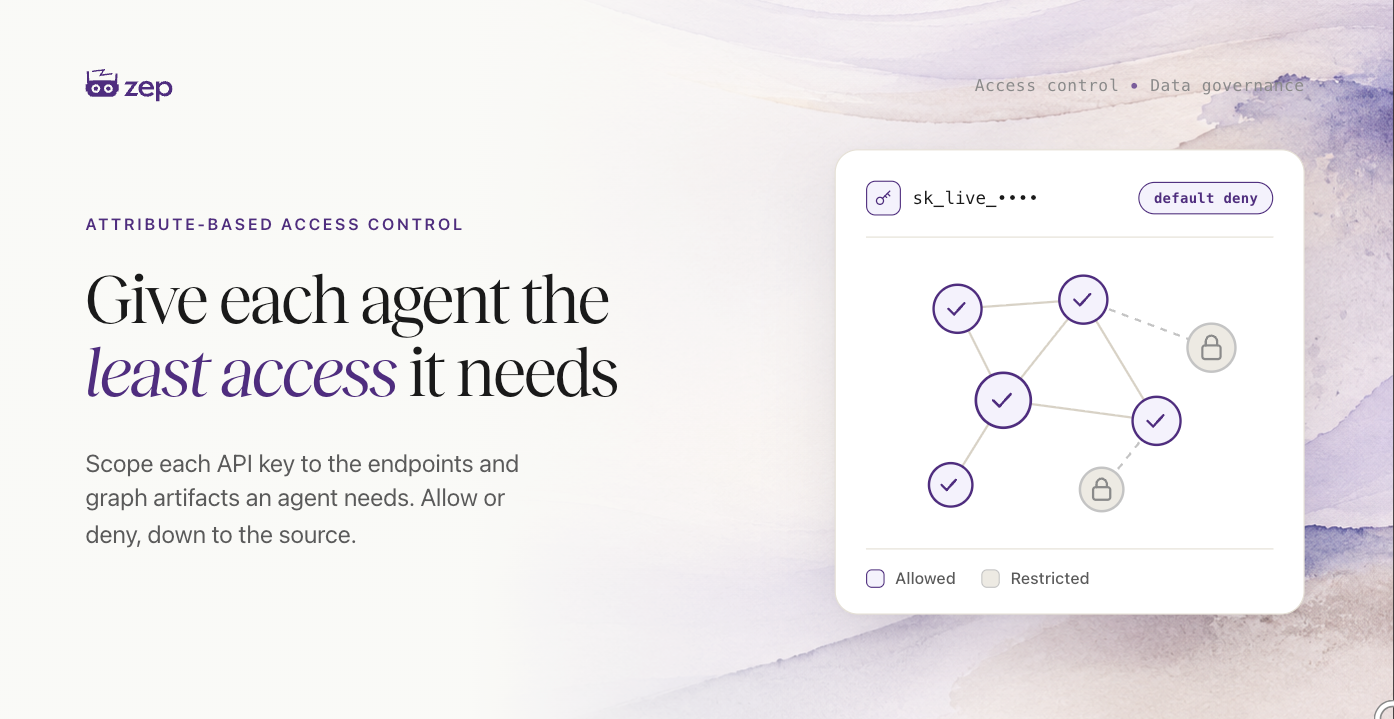
Attach policies to any Zep API key to control the exact endpoints it can call and the graph data it can read.

Key takeaways
- Attribute-Based Access Control (ABAC) scopes any API key to a subset of the actions and data in your Zep project. You attach policies to a key that decide which endpoints it can call and which graph artifacts it can read.
- Policies are allow or deny, in two kinds. Action-level policies gate specific API endpoints and SDK methods by name. Source-based policies gate reads of graph artifacts by the metadata of the episodes they came from.
- Keys start default-deny or default-allow. A default-deny key can do nothing until a policy grants access; a default-allow key can do everything until a policy restricts it.
- ABAC contains blast radius in agentic systems. When each key carries the minimum access its agent needs, a compromised or prompt-injected agent reaches less.
- ABAC is part of how Zep governs agent memory. It joins controls like role-based access control and audit logging. ABAC is available on the Enterprise plan and managed with
zepctl. Read the docs.
Attribute-Based Access Control (ABAC) lets you attach policies to any agent (via an API key) that decide which endpoints the agent can call and which graph artifacts it can read. This post covers what ABAC is, why fine-grained access control matters when you put agents in production, and how to write and attach your first policy set.
What ABAC is
ABAC gives you fine-grained control over how agents access the data you send to Zep. You create an API key, attach one or more policies to it, and those policies govern two things: which API endpoints and SDK methods the key can call, and which graph artifacts the key can read.
Every policy has an effect, either allow or deny, and works at one of two levels.
Action-level policies allow or deny specific endpoints and SDK methods by name, such as thread.get or graph.search. A readonly macro expands to every non-mutating action, so you can grant read access across the whole API in one line, then add or subtract from there.
Source-based policies allow or deny reads of graph artifacts based on their effective metadata. This is where episode metadata projection comes in. Any metadata you attach to an episode is projected onto every artifact Zep derives from it: the facts, entities, Observations, and summaries built out of that episode. An artifact's effective metadata is the combined, deduplicated set of metadata from all the episodes behind it. A source-based policy matches on that effective metadata, so a single key can read some parts of a graph and not others.
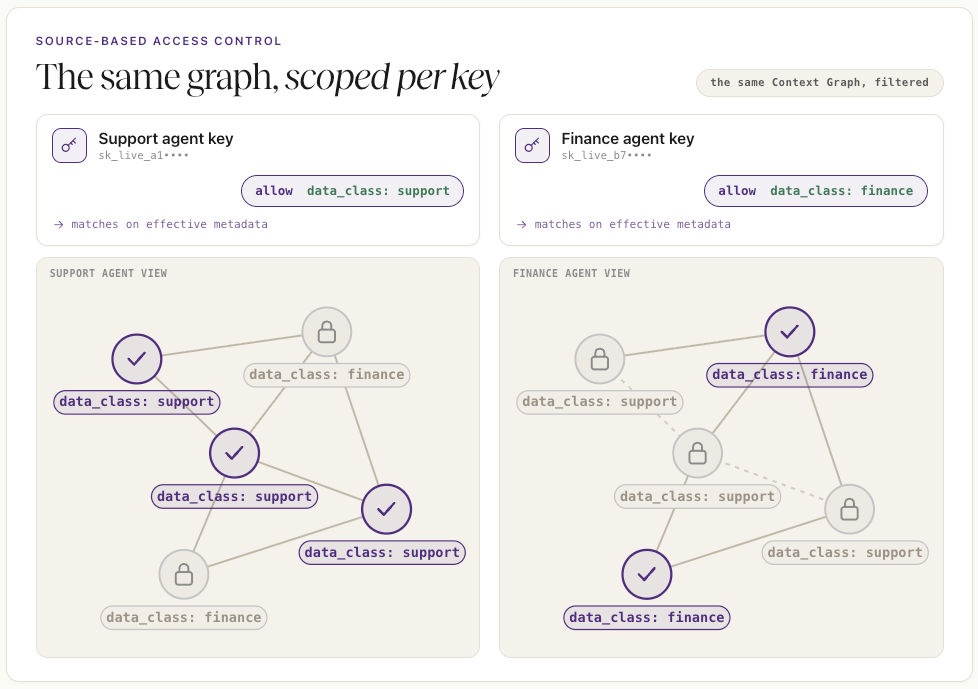
ABAC is access control for your keys. It sits alongside role-based access control (RBAC), which governs what your team can do in the Zep web app. RBAC covers your Zep admin team; ABAC covers your keys and the agents that use them.
Why it matters
ABAC matters whenever an agent uses one of your API keys. An unrestricted key is a liability: whatever agent uses it can read everything and call everything, so one bug or breach exposes the whole project. ABAC lets you give each agent the minimum access it needs, so you can apply the principle of least privilege to agent memory. It gives you an easy way to manage access policies, even across many agents, graphs, and data sources.
The clearest case is an agent with web access. If it can browse the web, it can be prompt-injected, and a prompt-injected agent may try to exfiltrate whatever it can reach. A key scoped to only the data that agent needs limits what an attacker can pull out. The same logic covers separating classes of data, where a support agent has no reason to read finance records, and internal tooling, where an analytics agent has no reason to hold write or delete permissions.
How it works
Setting up ABAC takes two steps: create a key with a starting posture, then attach policies to it.
First, create an API key in the Zep web app and choose its default: default-deny (the key can do nothing until a policy allows it) or default-allow (the key can do everything until a policy denies it). Default-deny is the safer starting point for an agent, since anything you don't grant stays blocked.
Next, define a policy set and attach it to the key. A policy set is a reusable, named bundle of policies. Here is one that grants a default-deny key read-only access to a single class of data:
policy_set:
  name: support_reader
  mode: enforce
  spec:
    policies:
      - id: support_read_only
        type: authorization
        effect: allow
        actions: [graph.search, graph.node.get, graph.edge.get]
        attributes:
          data_class: [support]
On a default-deny key, this policy set grants exactly one thing: read access to graph artifacts whose effective metadata has data_class: support, through the three read actions listed. The key cannot write or delete, and it cannot read any other class of data. Anything the policy does not explicitly allow stays denied.
You manage policy sets with zepctl, Zep's admin CLI. Validate the file, create the policy set, then attach it to your key:
zepctl policy-set validate --file support-reader.yaml
zepctl policy-set create --file support-reader.yaml
zepctl api-key policy-sets attach <key-uuid> <policy-set-uuid>
Before enforcing a policy set, you can set its mode to report_only. Zep logs what the policy would block without blocking it, so you can confirm the scope is right against real traffic, then switch to enforce. You can also check any single decision:
zepctl api-key explain <key-uuid> --action thread.get
Getting started
ABAC is available on Zep's Enterprise plan and is managed by account administrators with zepctl. The Attribute-Based Access Control documentation walks through creating keys, writing action-level and source-based policies, testing in report-only mode, and the full zepctl command set.